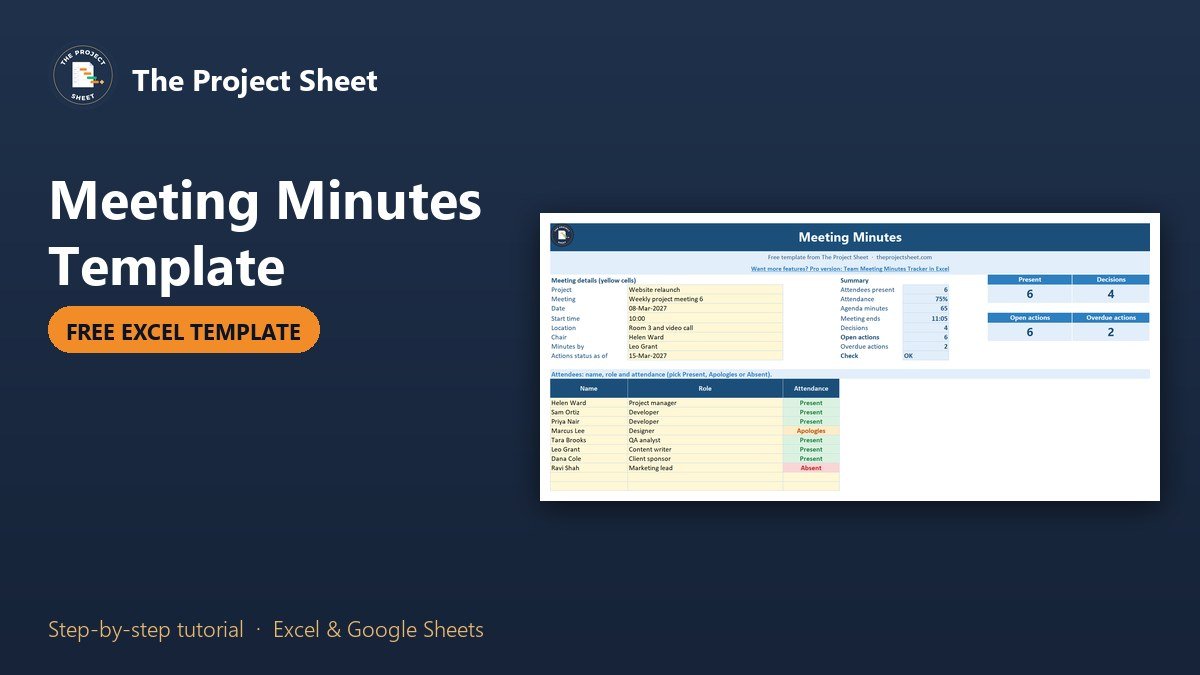
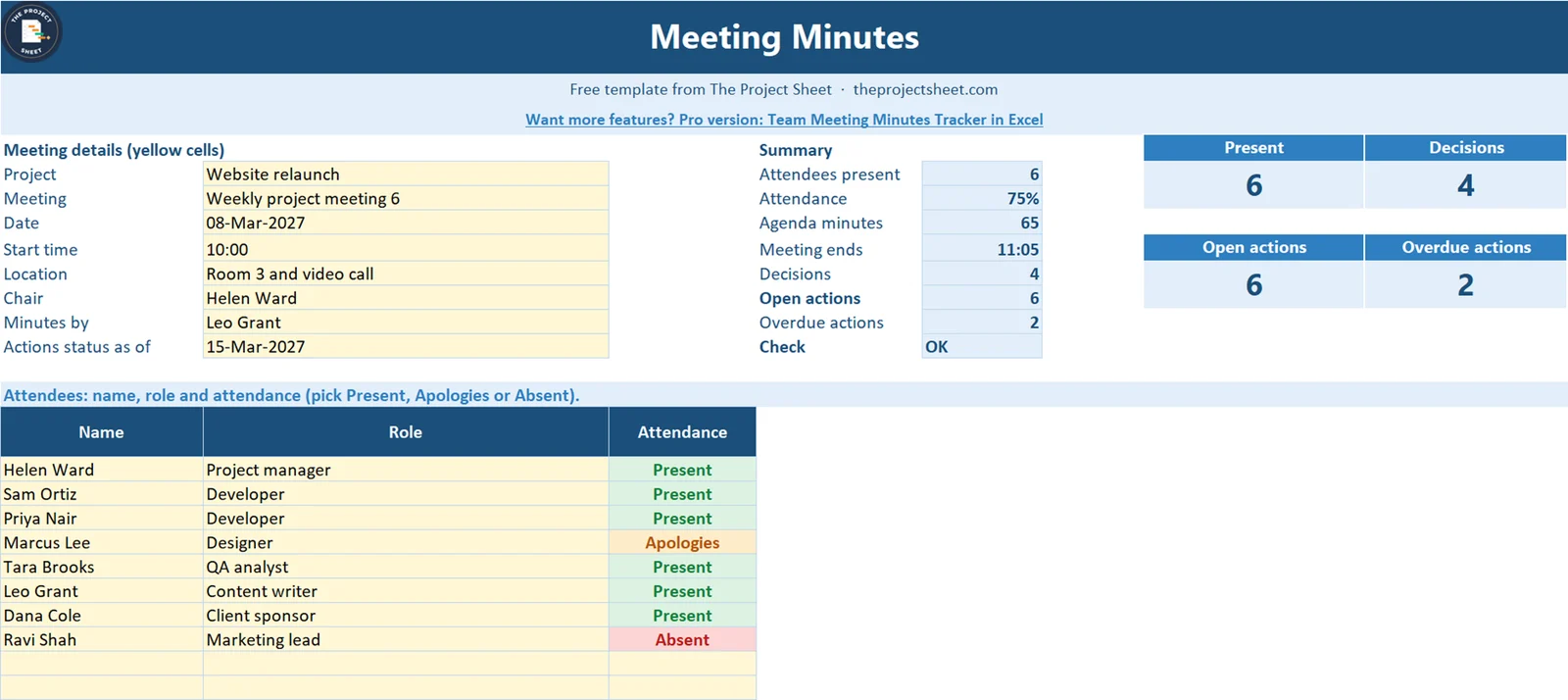
A meeting minutes template is a ready layout for recording who attended a meeting, what was discussed, what was decided and which actions were agreed, with an owner and a due date for each. The free meeting minutes template below works in Excel and Google Sheets. It times the agenda, counts attendance and flags every action that is overdue or due soon. In the sample, 6 of 8 people attended a 65 minute project meeting that made 4 decisions and agreed 8 actions. A week later 6 actions are still open and 2 are overdue.
Free download
Meeting Minutes Template (.xlsx, also opens in Google Sheets)
Working formulas, sample data and a How to use sheet. Opens in Excel, or import it into Google Sheets.
What to include in meeting minutes
Good minutes are short. Nobody reads a transcript, so leave the conversation out and keep what people will need next week:
- The meeting details: project, meeting name, date, time, place, chair and who took the minutes.
- Who attended, who sent apologies and who was absent.
- The agenda items in order, with one or two lines on what was discussed.
- Every decision, in one clear sentence.
- Every action, with one owner and a due date.
The decisions and the actions are the part that matters. If you only have time to write two things down, write those.
What is inside the free meeting minutes template
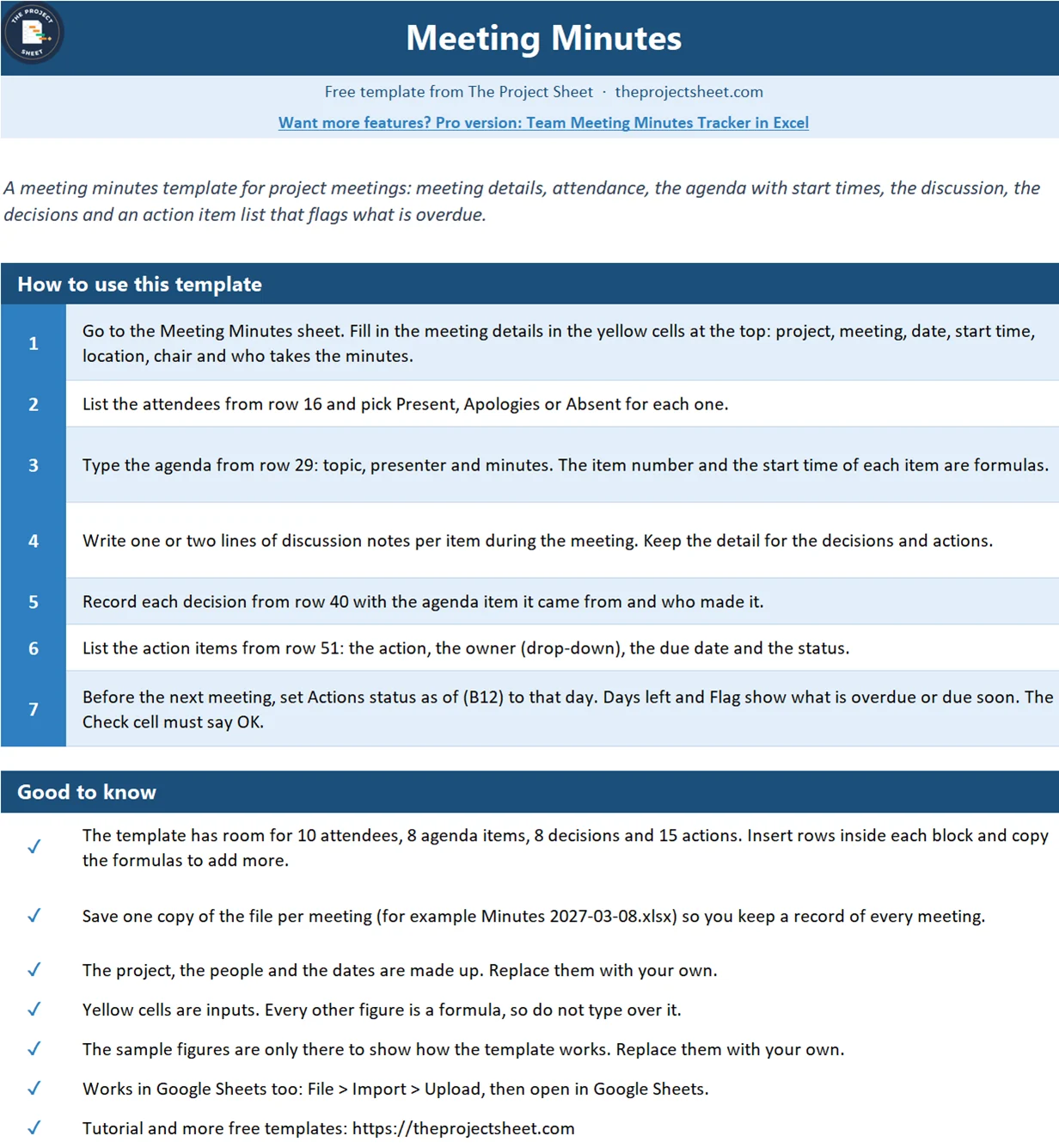
The workbook has a How to use sheet and one Meeting Minutes sheet. It has no macros. Eight yellow cells at the top hold the meeting details and the date the action status is checked. A Summary box and four cards show attendance, decisions, open actions and overdue actions. Below that are four blocks: attendees, agenda and discussion, decisions and action items.
The sample is a made up weekly meeting for a website relaunch on 8 March 2027, chaired by the project manager, with a client sponsor in the room. Everything is plain cells and formulas, so you can print it, email it or keep one copy per meeting.
Using it in Google Sheets
Download the file, upload it to Google Drive and open it with Google Sheets, or use File, then Import, then Upload inside a blank sheet. The drop-downs, the time formulas and the colors all carry over. Share the sheet with the team before the meeting so the agenda is visible, and type the minutes straight into it while you talk.
Who this template is for
- Project managers who run weekly team or client meetings.
- Team leads and assistants who take the minutes and chase the actions.
- Committees and small boards that need a record of each decision.
How to build the meeting minutes template step by step
The meeting details are in B5 to B12, with the start time in B8 and the status date in B12. Attendees are in rows 16 to 25, the agenda in rows 29 to 36, decisions in rows 40 to 47 and actions in rows 51 to 65.
Step 1: Count the attendance
Each attendee gets Present, Apologies or Absent from a drop-down. The summary counts them:
=COUNTIF($C$16:$C$25,"Present")
=IF(COUNTA($A$16:$A$25)=0,0,E5/COUNTA($A$16:$A$25))
Six of eight are present, so attendance is 75%. Apologies means the person told you in advance. It is worth keeping apart from Absent, because a pattern of absences is a warning sign on any project.
Step 2: Number the agenda and time each item
The item number in A29 counts from the row, so it stays right when you insert an item:
=IF(B29="","",ROW()-28)
The start time of each item is the meeting start plus the minutes of every item above it. Excel stores times as fractions of a day, so the minutes divide by 1,440. In E29:
=IF(B29="","",$B$8+SUM($D$28:D28)/1440)
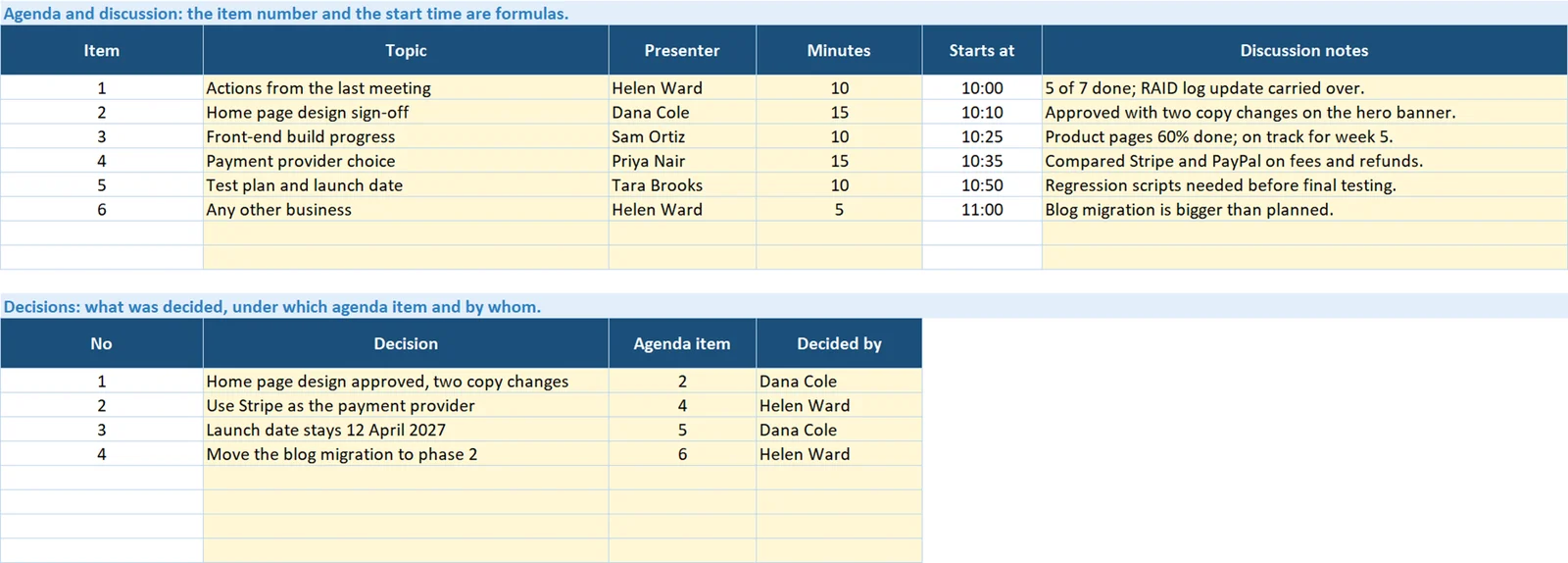
The range starts at the header row, which SUM ignores, so the first item starts at 10:00 and the second at 10:10. Format the cells as h:mm. The meeting ends at 11:05, which the summary works out the same way from the total of 65 minutes.
Step 3: Record the decisions
Write each decision as a sentence that still makes sense to someone who missed the meeting, then note the agenda item and who made the call. “Use Stripe as the payment provider” is a decision. “Discussed payment options” is not. Minutes keep decisions for one meeting. To track every decision across the whole project, with the reason and the options you turned down, copy them into a decision log template.
Step 4: Add the action items
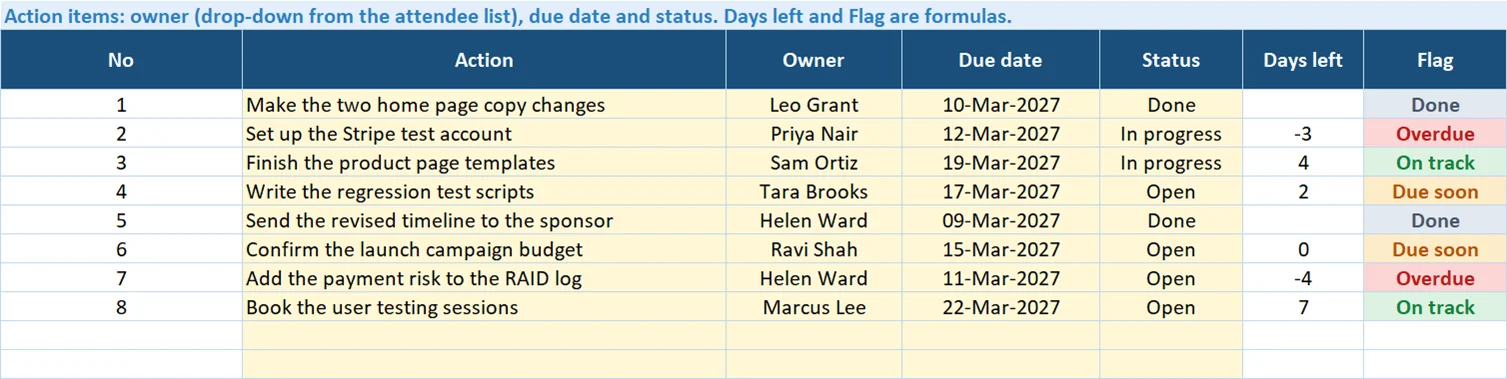
Each action gets an owner from a drop-down that reads the attendee list, a due date and a status of Open, In progress or Done. Days left in F51 compares the due date with the status date in B12:
=IF(OR(B51="",E51="Done"),"",D51-$B$12)
Using a typed status date instead of TODAY() means the sheet shows the same result for everyone, and you can see the state of the actions as they were on the day of the next meeting.
Step 5: Flag what is overdue
The Flag column in G51 tests each action in order: an owner who is not on the attendee list, then done, then overdue, then due within three days:
=IF(B51="","",IF(COUNTIF($A$16:$A$25,C51)=0,"Check owner",IF(E51="Done","Done",IF(D51<$B$12,"Overdue",IF(D51-$B$12<=3,"Due soon","On track")))))
On 15 March two actions are overdue: the Stripe test account, three days late, and the RAID log update, four days late. Two more are due soon. The summary counts the open actions with COUNTIFS:
=COUNTIFS($B$51:$B$65,"<>",$E$51:$E$65,"<>Done")
Step 6: The check cell
The last line of the summary makes sure every action has an owner who was on the attendee list:
=IF(COUNTIF($G$51:$G$65,"Check owner")=0,"OK","Check owners")
An action with no real owner is the one that never gets done, so the check is worth the extra column.
How to take minutes during the meeting
Fill in the meeting details, the attendees and the agenda before the meeting starts, so all you type in the room are notes, decisions and actions. When the group agrees on something, read the decision back out loud and type it in that moment. Do the same for each action: say the owner and the date, and wait for a yes. At the end, spend two minutes reading the action list to the room. Send the file the same day, and open the next meeting with the actions from this one.
Where meeting minutes fit
Minutes are the raw record. The overdue actions and the new risks they reveal feed the rest of your project paperwork. The payment risk in the sample belongs in the RAID log template, and the open and overdue actions are a good first section for the weekly project status report template.
Common mistakes
- Writing down the whole conversation. Keep one or two lines per item and spend the effort on decisions and actions.
- Actions with two owners or a team as the owner. Pick one name from the drop-down.
- Actions without a date. “Soon” is not a due date, and the flag cannot check it.
- Sending the minutes days later. Send them the same day, while people still remember what they agreed.
- Not reviewing last week’s actions. Make it the first agenda item, as in the sample.
Want more than the free file?
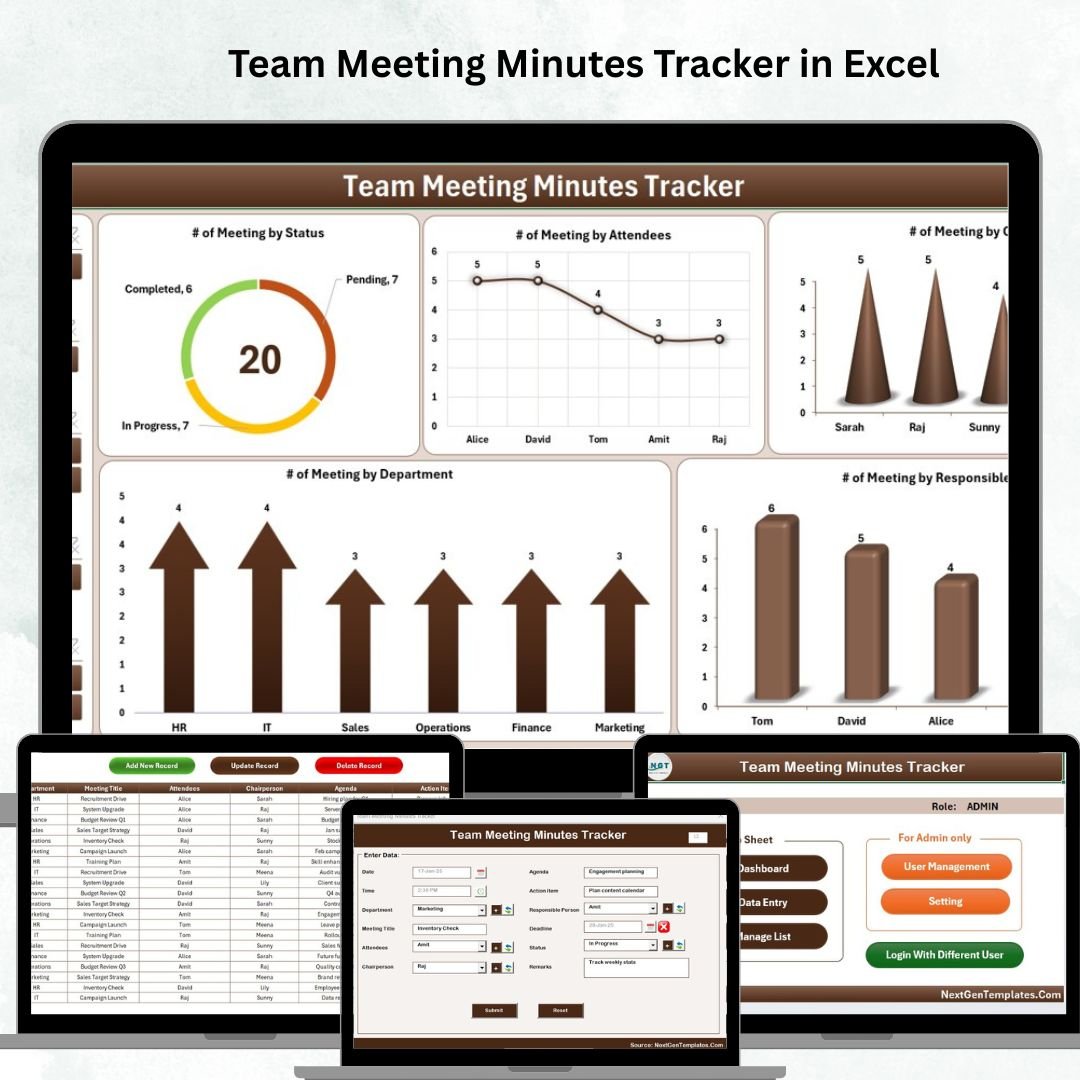
Team Meeting Minutes Tracker in Excel
Keep every meeting, decision and action in one Excel tracker, with owners, due dates, follow-up status and a dashboard of open and overdue actions.
Frequently asked questions
What should a meeting minutes template include?
The meeting details, who attended, the agenda items with short notes, every decision and every action with one owner and a due date.
Is there a meeting minutes template in Google Sheets?
Yes. Download the free file, upload it to Google Drive and open it with Google Sheets. The drop-downs, the time formulas and the flags all work there.
How do I calculate agenda start times in Excel?
Add the minutes of every earlier item to the meeting start time, divided by 1,440 because Excel stores time as a fraction of a day: =$B$8+SUM($D$28:D28)/1440.
How do I flag overdue action items in Excel?
Compare the due date with a status date in a nested IF: if the status is Done show Done, if the due date is before the status date show Overdue, if it is within three days show Due soon, otherwise On track.
What is the difference between meeting minutes and a decision log?
Minutes record one meeting. A decision log keeps every decision across the project, with the reason and the options considered.
Free download
Meeting Minutes Template (.xlsx, also opens in Google Sheets)
Working formulas, sample data and a How to use sheet. Opens in Excel, or import it into Google Sheets.
Want the finished version?
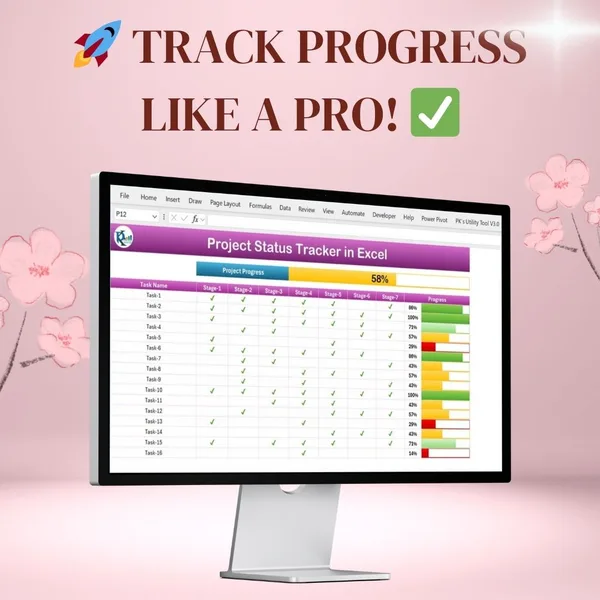
Project Progress Tracker in Excel
Colour-coded progress bars and automatic completion percentages.
View the pro template
PK is the founder of PK: An Excel Expert and NextGenTemplates.com and a corporate trainer in Excel, VBA and Power BI. Since 2020 he and his team have built Excel and Google Sheets tutorials and templates for business users, including many project management tools.