

A decision log is a running list of the important decisions on a project: what was decided, when, by whom, why, and which options were turned down. The free decision log template below numbers each decision for you, tracks its impact and status, and flags the decisions that are due for review. In the sample, 12 decisions are logged on a warehouse move, 8 are approved or implemented, 3 are still open and 4 reviews are due this week.
Free download
Decision Log Template (.xlsx, also opens in Google Sheets)
Working formulas, sample data and a How to use sheet. Opens in Excel, or import it into Google Sheets.
Why a project needs a decision log
Three months into a project someone always asks why the team chose this supplier, this date or this design. If the answer lives only in a meeting nobody remembers, the team argues the same point again, or worse, quietly reverses a decision without knowing what it was protecting. A decision log stops that. It is short, it is factual, and it records the reason at the moment the reason is still clear.
The log sits next to the other project registers. Risks and issues go in the RAID log, problems that need fixing go in the issue log, and formal scope changes go through a change request. The decision log records the choice that came out of any of them, and the Linked item column points back to the source.
What is inside the free decision log template
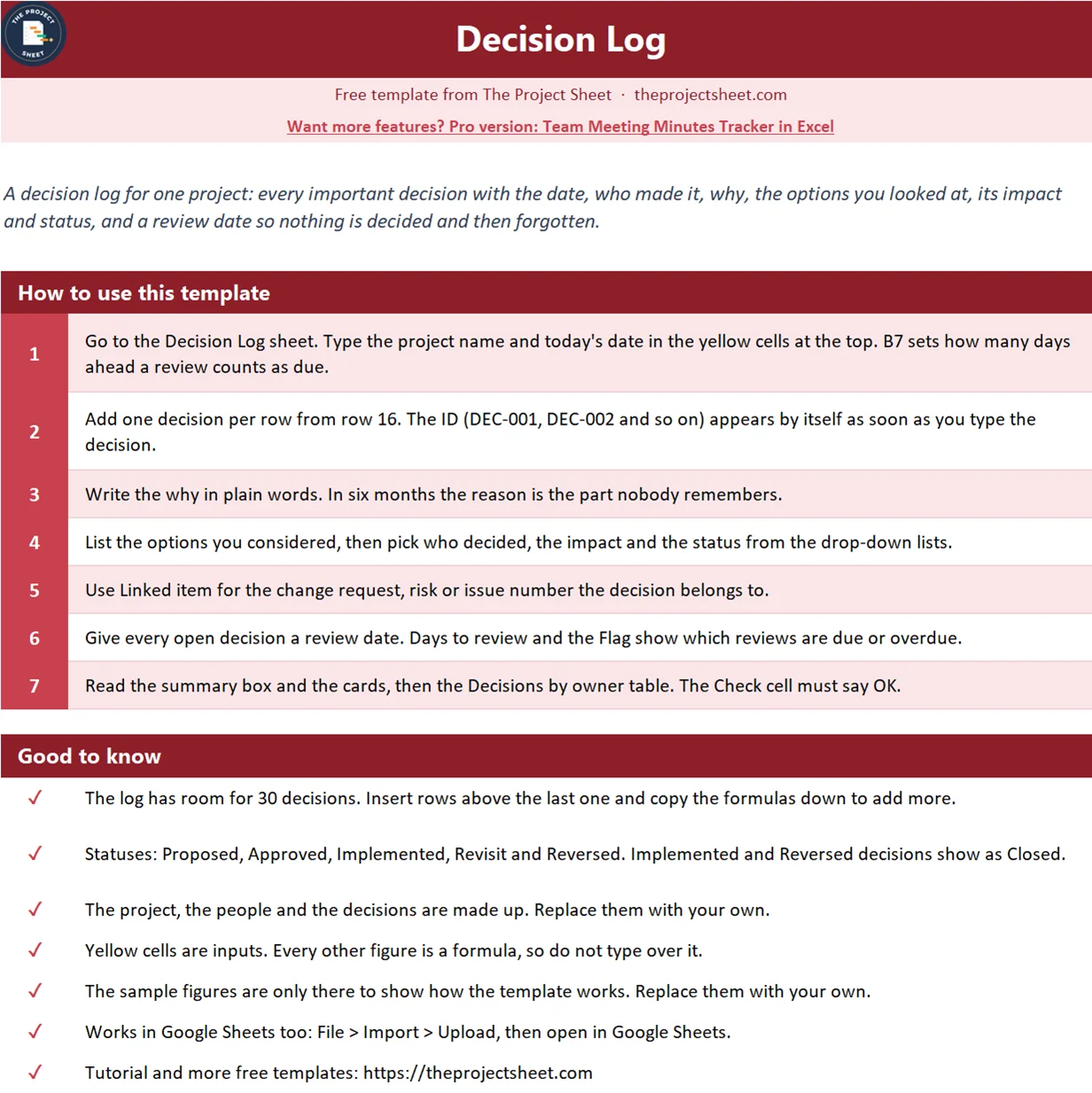
The workbook has a How to use sheet and one Decision Log sheet. It has no macros and opens in Google Sheets. Three yellow cells at the top hold the project, the report date and how many days ahead a review counts as due. A summary box and four cards show decisions logged, decisions still open, high impact decisions and reviews due. The log has room for 30 decisions, and a small Decisions by owner table sits under it.
The sample is a made up warehouse move with four decision makers and a report date of 15 March 2027. Replace it with your own project.

Who this template is for
- Project managers who need an audit trail of key choices for sponsors and steering groups.
- Team leads who keep getting the same question about an old decision.
- Small businesses running a one off project, like an office move or a system change, without a project tool.
How to build the decision log step by step
The log starts in row 16. Column A is the ID, B the date, C the decision, D the why, E the options considered, F who decided, G the impact, H the status, I a linked item and J the review date. Columns B to J are typed. A, K and L are formulas. The report date is in B6 and the warning period is in B7.
Step 1: An automatic decision ID
Every decision needs a number people can quote in an email. Instead of typing it, let the row create it. In A16:
=IF(C16="","","DEC-"&TEXT(ROW()-15,"000"))
Row 16 becomes DEC-001 and row 27 becomes DEC-012. TEXT pads the number to three digits so the IDs sort properly. The cell stays empty until you type a decision. Do not sort the log by another column, or the IDs will move with the rows; filter instead.
Step 2: Write the decision and the why
Keep the decision to one line that starts with a verb: Move to the Riverside site, Drop the mezzanine from phase 1. Then write the why in plain words in column D, and list the options you looked at in column E. The options matter more than people expect. Six months later, knowing that a two week overlap was considered and rejected saves a whole meeting.
Step 3: Drop-down lists for owner, impact and status
Select F16:F45, open Data, then Data Validation, choose List and type the names of the people who can make decisions. Do the same for impact with High, Medium and Low, and for status with Proposed, Approved, Implemented, Revisit and Reversed. Name one person as the decider, not a committee. In Google Sheets the menu is Data, then Data validation.
Step 4: Days to review
Decisions are not forever. The review date is when you check that the decision still holds. Days to review counts down to it and stays empty for closed decisions. In K16:
=IF(OR(J16="",H16="Implemented",H16="Reversed"),"",J16-$B$6)
Keeping the old site open for four weeks has a review date of 19 March, so it shows 4. The move date decision was due for review on 12 March and shows -3, which means the review is three days late.
Step 5: The flag
The flag turns the dates and the status into one word. In L16:
=IF(C16="","",IF(OR(F16="",D16=""),"Missing owner or why",IF(OR(H16="Implemented",H16="Reversed"),"Closed",IF(J16="","No review date",IF(J16<$B$6,"Review overdue",IF(J16-$B$6<=$B$7,"Review due","OK"))))))
Read it from the outside in. A decision with no owner or no reason is flagged first, because it is not really logged. Implemented and reversed decisions are Closed. An open decision with no review date is flagged so it does not drift. After that the date decides: overdue, due within the warning period, or OK.
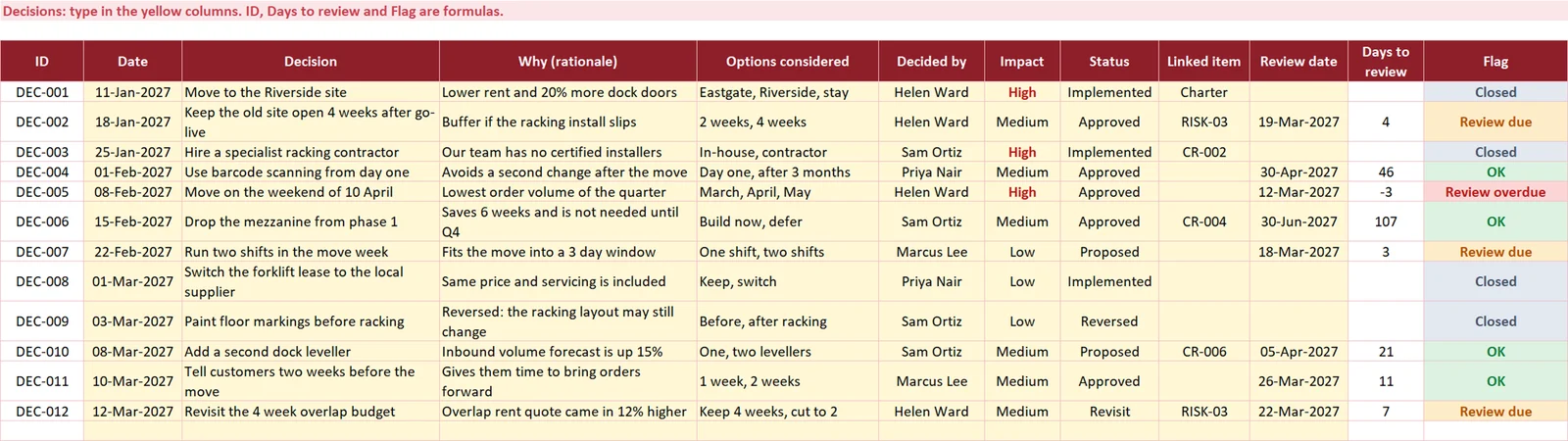
The sample shows one Review overdue, the move date, and three Review due: the four week overlap, the two shift plan and the overlap budget, which has exactly 7 days left. Four decisions are Closed. One of them, painting the floor markings before racking, was reversed, and its why column says so. Keep reversed decisions in the log. The reversal is part of the history.
Step 6: The summary box
The box counts the log. Still open in F7 adds proposed decisions and those marked for a second look:
=COUNTIF(H16:H45,"Proposed")+COUNTIF(H16:H45,"Revisit")
The result is 3. Reviews due in F9 adds the two review flags and shows 4. The check in F10 says OK only when no row is missing an owner or a reason:
=IF(COUNTIF(L16:L45,"Missing owner or why")=0,"OK","Missing owner or why")
Step 7: Decisions by owner
Under the log, COUNTIF and COUNTIFS show how many decisions each person made, how many were high impact and how many are still open. For high impact in D50:
=COUNTIFS($F$16:$F$45,A50,$G$16:$G$45,"High")
The sponsor, Helen Ward, made 4 decisions and 2 of the 3 high impact ones. If one person owns most open decisions, that is where the project will wait.
When to log a decision
Not every choice belongs in the log. Log a decision when it changes scope, cost, dates or quality, when it closes off other options, or when someone outside the team will ask about it later. Add it the same day, while the reasons are fresh, and read the open and due rows at every status meeting. Your project charter is a good place to name who is allowed to make which kind of decision.
Common mistakes
- Logging the decision without the why. The reason is the part people need later.
- Naming a group as the decider. Put one accountable name in the owner column.
- Deleting reversed decisions. Mark them Reversed and say why, so the history stays complete.
- Never setting a review date. Open decisions without one are flagged for a reason.
- Using the log as meeting minutes. Keep it to decisions. Discussion belongs in the minutes.
Adapt the log to your project
Edit the owner list, change the warning period in B7, and add a column for the cost of the decision if your sponsor wants to see it. To log more than 30 decisions, insert rows above the last one and copy the formulas down. Share it in Google Sheets so every decider can add their own rows.
Want more than the free file?
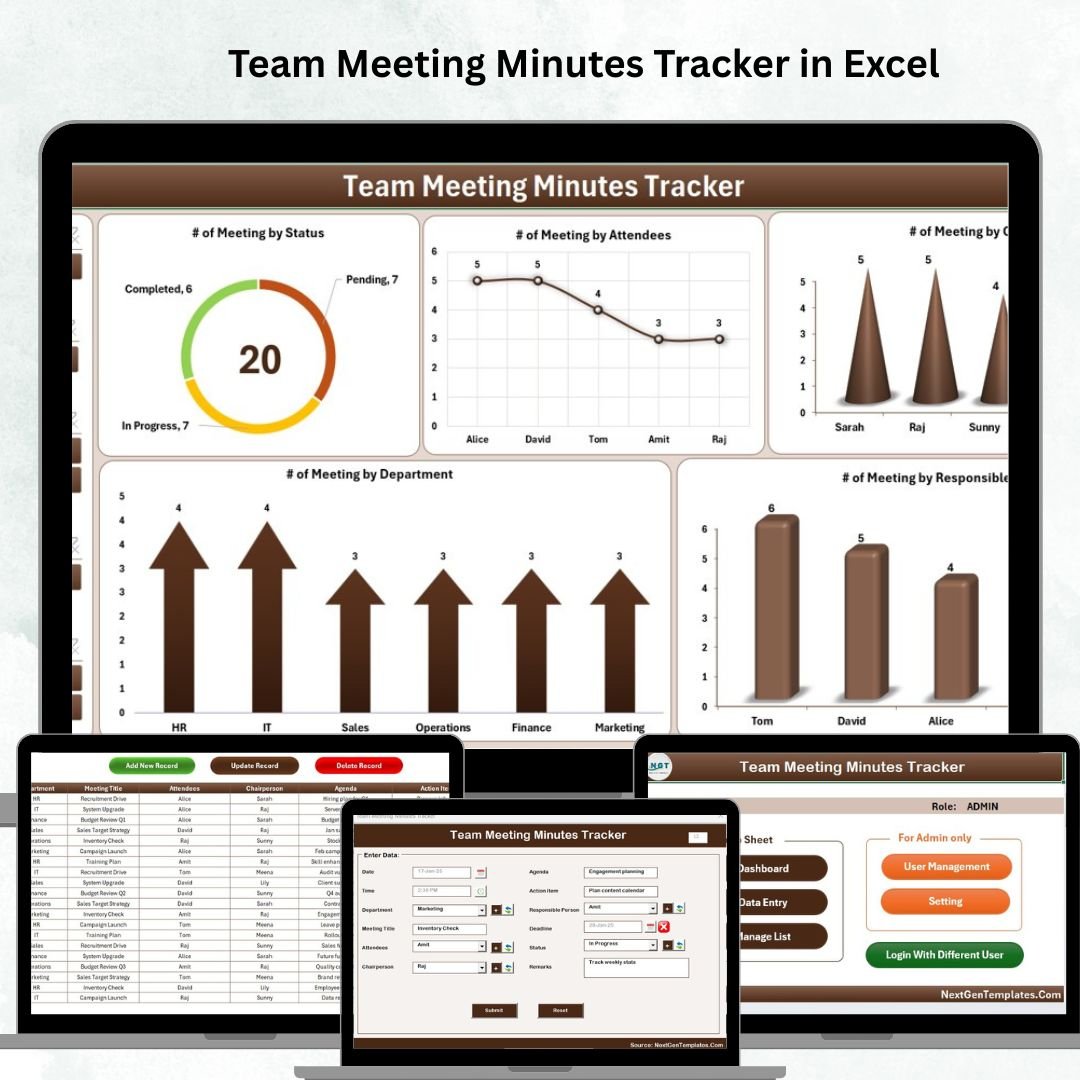
Team Meeting Minutes Tracker in Excel
Track every team meeting in Excel: agendas, attendees, decisions and action items with owners and due dates, plus a dashboard of open actions.
Your next step: download the file and log the last three decisions your project made, with the reason and a review date for each.
Frequently asked questions
What is a decision log in project management?
A decision log is a register of the important decisions on a project. Each entry records what was decided, the date, who decided, the reason, the options considered and the status, so the team can trace any choice later.
What should a decision log include?
At minimum an ID, the date, the decision, the rationale, the options considered, the decision maker, the impact and the status. A review date and a link to the related risk, issue or change request make it far more useful.
How do I number decisions automatically in Excel?
Use a formula based on the row, such as =IF(C16="","","DEC-"&TEXT(ROW()-15,"000")). The ID appears when you type a decision and TEXT pads it to three digits.
What is the difference between a decision log and an issue log?
An issue log tracks problems that need to be fixed. A decision log records the choices the team made, including choices made to solve an issue. Link the two with the issue number.
Does this decision log template work in Google Sheets?
Yes. Upload the file to Google Drive and open it with Google Sheets. The drop-down lists, the TEXT and COUNTIFS formulas and the conditional formatting all work there.
Free download
Decision Log Template (.xlsx, also opens in Google Sheets)
Working formulas, sample data and a How to use sheet. Opens in Excel, or import it into Google Sheets.
Want the finished version?
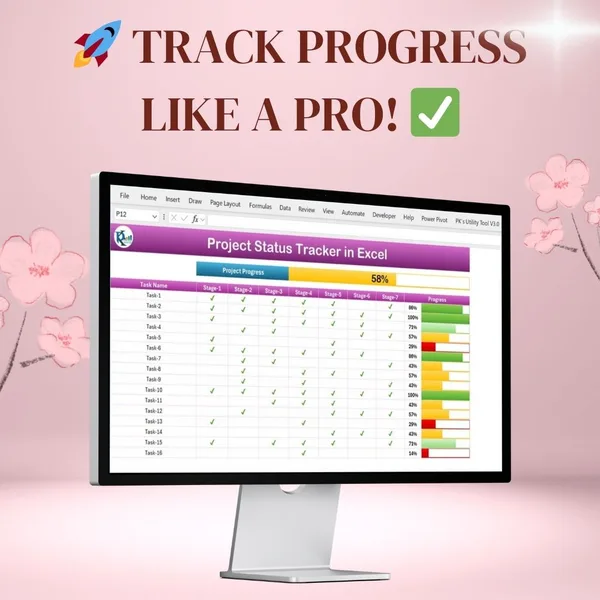
Project Progress Tracker in Excel
Colour-coded progress bars and automatic completion percentages.
View the pro template
PK is the founder of PK: An Excel Expert and NextGenTemplates.com and a corporate trainer in Excel, VBA and Power BI. Since 2020 he and his team have built Excel and Google Sheets tutorials and templates for business users, including many project management tools.